iOS App: iOS Version 18+
The current version of the operating system as well as the previous version are supported. Ensure to keep your device operating system up to date as manufacturers regularly release security updates.
- What is Apple's current iOS version?
- How do I find out which version is installed on my device?
- Note: Vintage and obsolete devices are not supported
See current statistics for Apple iOS version distribution.
Apple App users must be 18 or older in order to download the app.
Android App: Android Version 15+
The current version of the operating system as well as the previous version are supported. Ensure to keep your device operating system up to date as manufacturers regularly release security updates.
Android OS versions are typically supported and maintained with security patches for 2-3 years by Google. While ATIV's apps may partially run on older unmaintained Android OS versions, support cannot be offered for those old versions. Use the app's web version in that case for the best experience.
Google WebView is required and the latest mobile Google Chrome app must be installed.
Certain devices do not have enough memory to reliably run certain app processes. The manufacturer limits the amount of RAM available to each app, and on some phones, it is extremely limited per app. On these devices, the app will be marked as incompatible in the Google Play Store. Please use the mobile web version instead for the best experience.
ScanHunt gamification is not supported on Moto G4.
See current statistics for Android version distribution in North America.
Google Play users must be 18 or older in order to download the app.
Web App & Online Planner: Chrome and Safari
The Web App is available for all other devices, such as Windows Phones. Note: Some features are only available in the native meeting apps.
The Online Planner is optimized for desktop.
These platforms are supported on the latest version of Chrome and Safari. Other browsers may work, but are not optimized, supported, and you may experience limited functionality, such as when attempting to view virtual features. Find out which browsers are currently in use.
You may need to turn off any ad and pop up blockers you have added to your browser or your system as these tools may incorrectly limit visibility of event related content or limit functionality that requires a popup (e.g. authentication).
- Chrome
- Safari
- Safari updates when your OS does. Check System Preferences for a software update. More info
- Note: favicons cache on the browser and may not update by event (requires clearing browser cache)
For security reasons, it is always best to use the latest version of your browser.
Speaker Portal and Organizer CMS: Chrome & Safari
The speaker portal (PDF with audio recording, video upload) and the Content Management System (CMS) are intended for use on desktop computers in one of the following browsers:
- Chrome
- Safari
- Safari updates when your OS does.Check System Preferences for a software update. More info
FAQ
How can I tell which OS or browser version I have installed?
- iOS: https://support.apple.com/en-us/HT201685
- Android: https://support.google.com/android/answer/7680439?hl=en
- Chrome: https://www.google.com/chrome/update/
- Safari: https://support.apple.com/en-us/HT204416
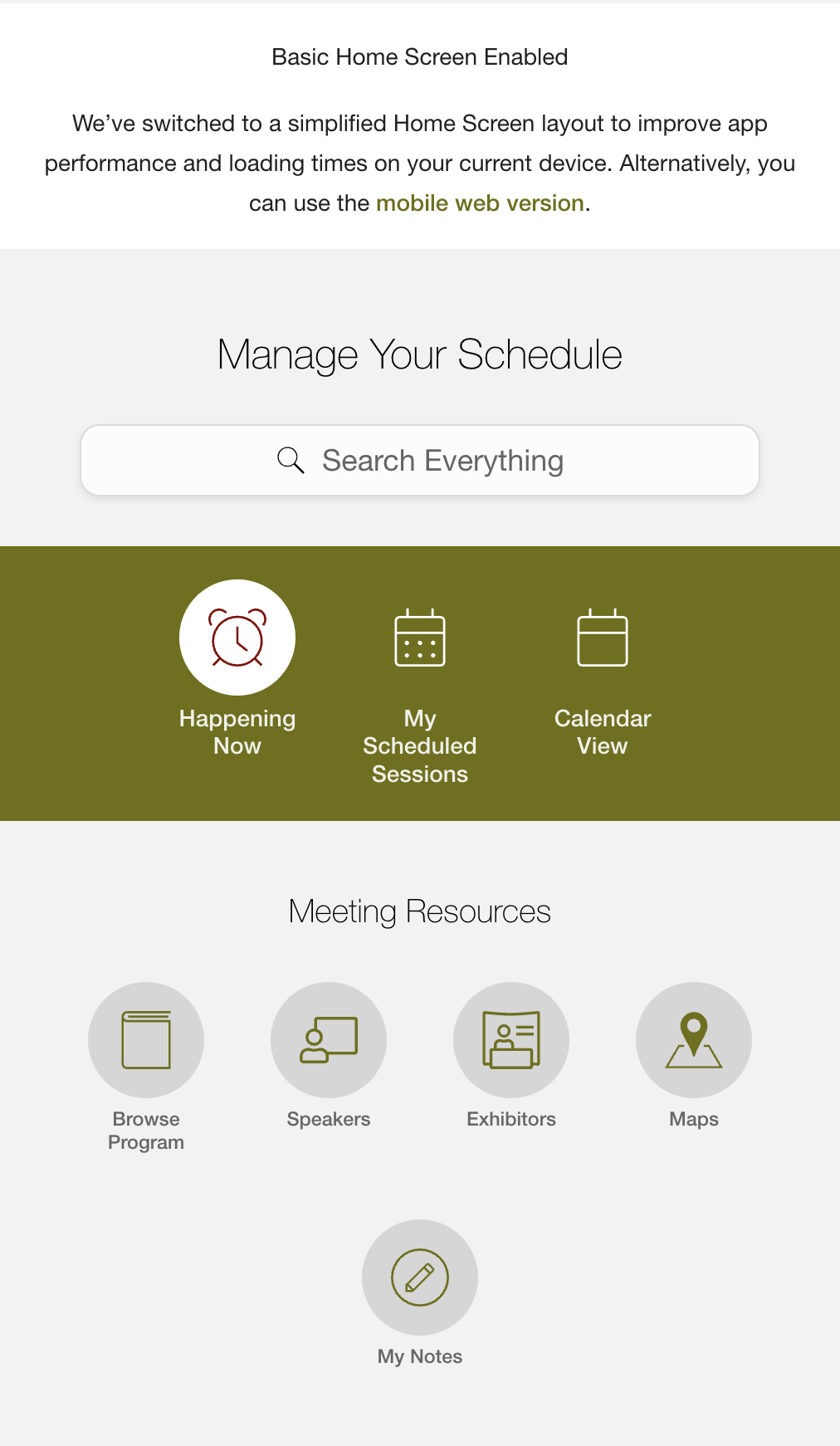
I am not seeing the normal home screen on my Android device?
On some Android devices, the app may display a simplified Home Screen layout to improve performance and loading times. That helps keep the experience faster and more reliable on the device.
I can’t install the app? I am not seeing the app in the store?
Unsupported Device or Operating System Version (OS)
Your specific device (some Android devices are affected) may not be supported or your version of the OS is not up to date. See above which operation systems are supported. If your device is not supported, you can use the web version of the app in your mobile browser
Insufficient Storage Space
Learn how to free up storage space
Parental Controls
Conference apps are designed for professionals and set to 18+. The app may be hidden from you in the store if:
- you have parental controls turned ON > turn those OFF
- you have a family / supervised account, ask the family manager to remove the restriction
- your birthday in your profile is incorrect > correct your birthday in your personal info connected to the App Store
If you do see the app in the app store but you cannot download with a comment "Not available due to parental controls", turn parental controls OFF.
Device Language Setting
Hebrew (Android): Because of the right to left formatting of the Hebrew language, Android is not compatible with device's set to Hebrew. Please change to English for the duration of the conference, or use the web version of the app from your event organizers.
"Already Installed " Message in Google Play
When you go to the Google Play store (from a web browser) and it shows “already installed” but you can’t find the app on your device / download files / app files:
Go to Applications > Settings > Apps > Google Play > check to make sure it’s set to “enabled” and not “disabled.” Once you enable the Google Play app, the event app should be available on your device.
Slow Internet Connection
If you are not using a high-speed Internet connection, please try a different network. The current network connection may be too slow.
Have you tried:
Uninstall > Reinstall
Uninstall > Reboot > Reinstall
If none of the options above work for you, please contact us directly at support@ativsoftware.com and include the following details:
- Device details including make and model
- Version of the operating system
- Amount of free storage space left
- General WiFi Speed (you can use free websites and apps such as SpeedTest.net by Ookla"